Everything you need to create a professional streaming setup for live selling, from budget-friendly to pro-level options.
Creating Your Perfect Streaming Setup
Your streaming setup directly impacts your sales. Good lighting, clear audio, and stable video make buyers confident in what they're purchasing.
Budget Setup ($50-150)
Camera:
- Your smartphone (most have excellent cameras)
- Phone tripod or mount ($15-30)
Lighting:
- Ring light with phone holder ($25-40)
- Or desk lamp with daylight bulb ($15)
Audio:
- Your phone's built-in mic (ensure quiet environment)
- Cheap lapel mic ($15-20)
Background:
- Clean wall or simple backdrop
- Declutter the visible area
Mid-Range Setup ($200-500)
Camera:
- Webcam like Logitech C920 ($70-100)
- Or continue using smartphone
Lighting:
- Two softbox lights ($60-100)
- Or upgraded ring light ($50-80)
Audio:
- USB microphone like Blue Yeti ($100-130)
- Or quality lapel mic ($40-60)
Background:
- Backdrop stand with fabric ($40-60)
- Or bookshelf/display setup
Pro Setup ($500+)
Camera:
- Mirrorless camera with clean HDMI out
- Capture card for computer streaming
- Multiple camera angles
Lighting:
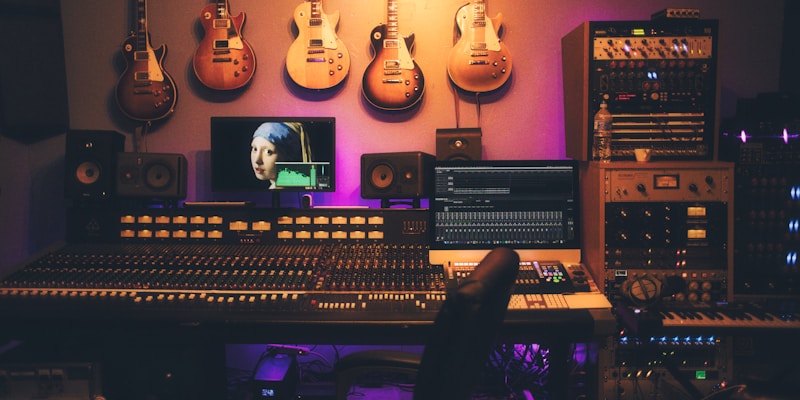
- Three-point lighting setup
- Key light, fill light, backlight
- LED panels with adjustable color temperature
Audio:
- XLR microphone with audio interface
- Or high-end USB mic
- Acoustic treatment for room
Background:
- Custom-built set
- Professional backdrop
- Brand-consistent design
Essential Tips for Any Budget
Lighting:
- Natural light is free and looks great
- Avoid harsh overhead lighting
- Light your face and your products
- Test how items look on camera before going live
Audio:
- Quiet room > expensive microphone
- Test audio levels before every stream
- Speak clearly and at consistent volume
- Minimize background noise
Camera:
- Clean your lens regularly
- Lock focus and exposure when possible
- Stable > shaky (use tripods/mounts)
- Show products at multiple angles
Internet:
- Wired connection beats WiFi
- Test upload speed (need 5+ Mbps)
- Close other applications
- Have backup mobile hotspot
Product Display Tips
- Use a lazy susan for 360° views
- Have good task lighting for close-ups
- Keep items organized and accessible
- Use risers/stands to vary heights
Testing Your Setup
Before going live:
- Do a test recording
- Check audio levels
- Verify lighting on products
- Test your internet connection
- Have backup equipment ready
Ready to start streaming? Join DailyFlip and start selling to our engaged community.
Written by
DailyFlip
Editorial